Shipped
Web App
Consumer AI
Zero to One
AI-Assisted Onboarding
for Lasting Engagement
Skipper is an AI-powered productivity web app that organizes your browser tabs for you.
Designed for knowledge workers, rooted in CMU research & backed by Menlo Ventures.
Overview

Problem
New users struggled to understand Skipper's value and how to organize their tabs, resulting in poor active engagement.

Solution
Redesigned onboarding with an AI-assisted folder creation flow that guides users through their first 'Skipper win' while clearly explaining key values.

Impact
63% → 96%
Onboarding completion rate
16% → 49%
Week 1 active engagement*
*Folder creation/organization, tab open from Skipper, etc.
AI assistance added
to all folder workflows in the product
Role
Head of Design (sole designer)
Responsibilities
UX/UI & Interaction Design
User Research
Prototyping & Testing
Scaling Design System
Facilitating Collaboration
Team
2 engineers + 1 PM
Timeline
1 month
Problem
Skipper's PMF depended on active engagement,
but it was stalling.
Q4 2024
Automatic Tab Save retention
→ 50% at week 8
Active engagement rate
(Tab Organization & Reopen)
→ 6% at week 8
Business Problem from the Surface
We see a dip in active engagement and we don't know why.
Low active engagement for us means weak product-market-fit.
Uncovered User Problem
"As a new user, I don't know how to organize my tabs and can't envision Skipper's ongoing value for me."

Solution 1/2
Create your first folder, effortlessly.
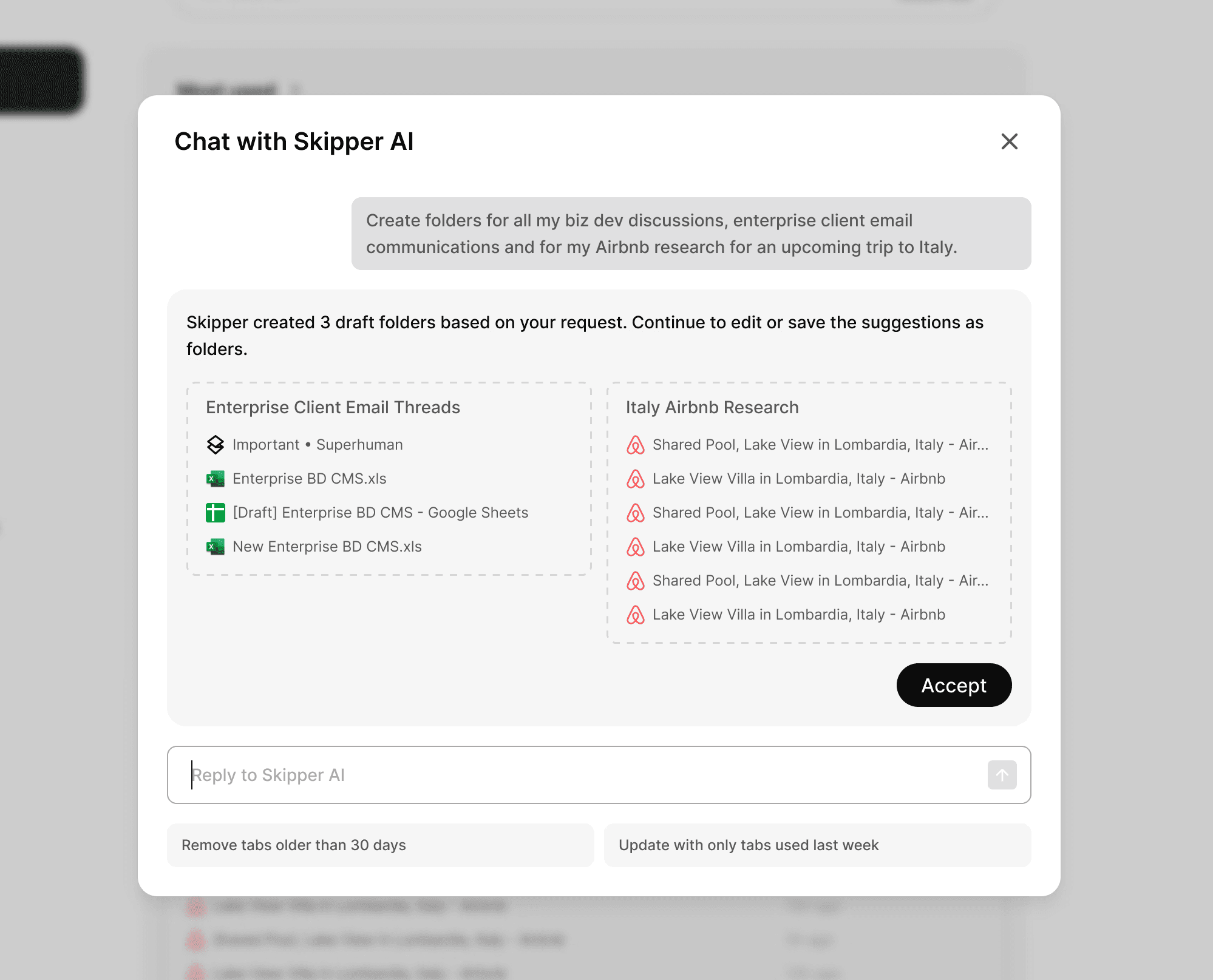
AI-assisted folder creation
Skipper intelligently recommends tab folders based on the user's recent browsing history.
This was a new UI component introduced to the product.
1
Skipper recommends a folder title most likely to be used frequently based on user's browsing data.
2
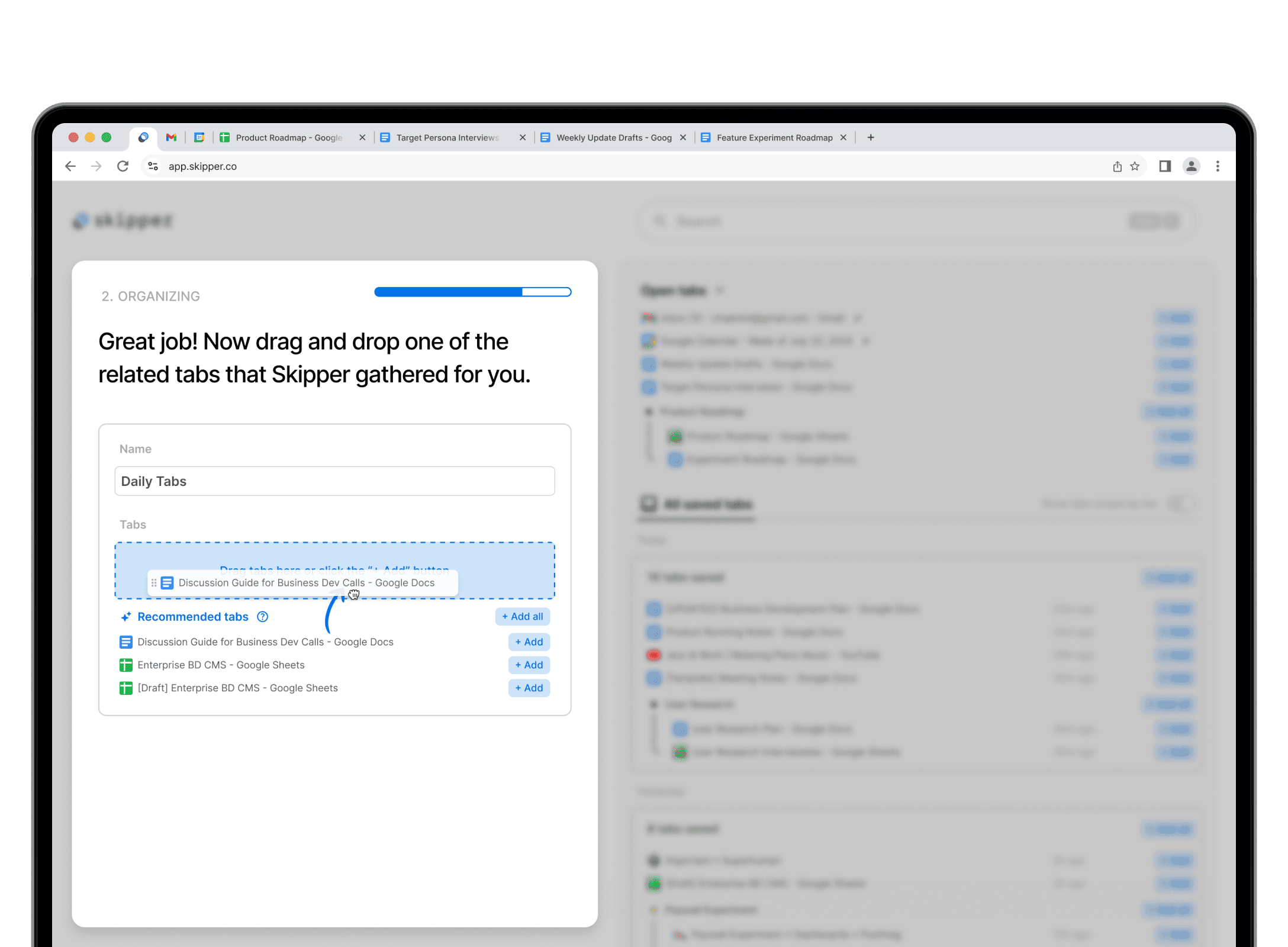
Then it teaches users how to easily keep folders up-to-date by adding AI-recommended tabs to them.
Either by dragging & dropping…
… or by clicking the [+ Add] buttons.
Solution 2/2
Understand Skipper's key values in 2 mins.
Previous onboarding wasn't structured around the key values
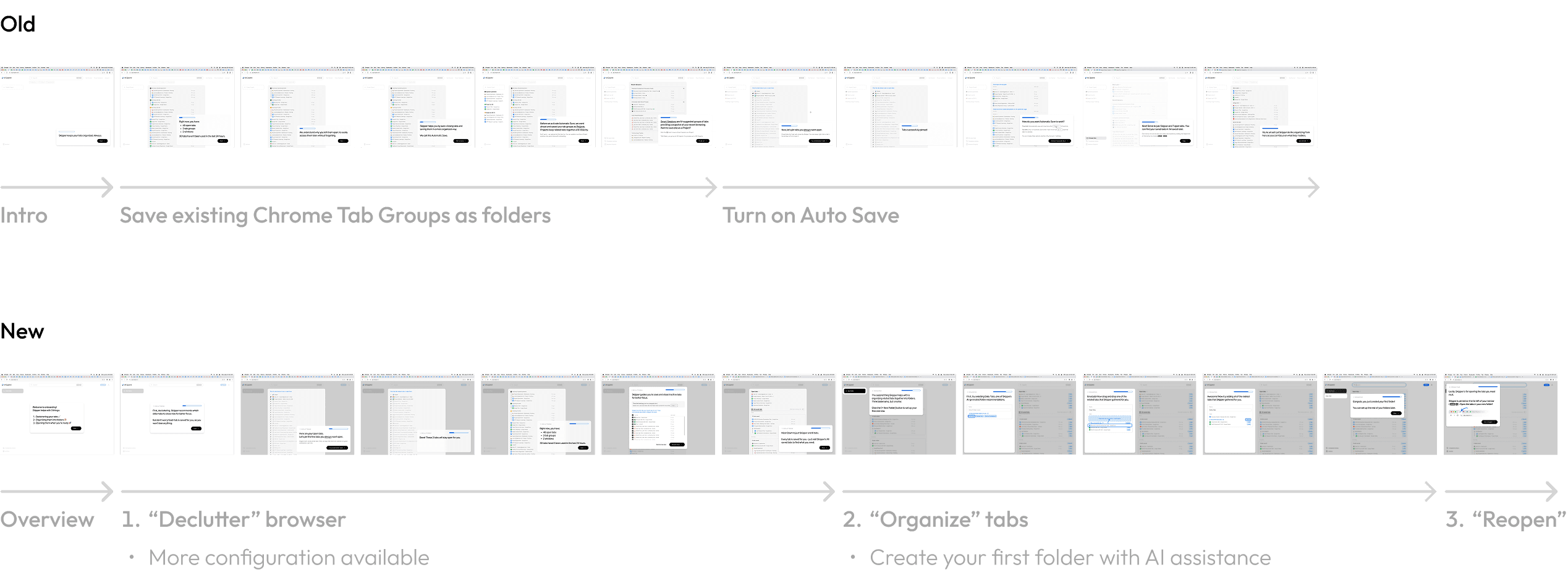
Approach: Learn by doing
To help new users understand why they need Skipper, we broke down onboarding into 3 steps, each showcasing one of Skipper's core benefits.
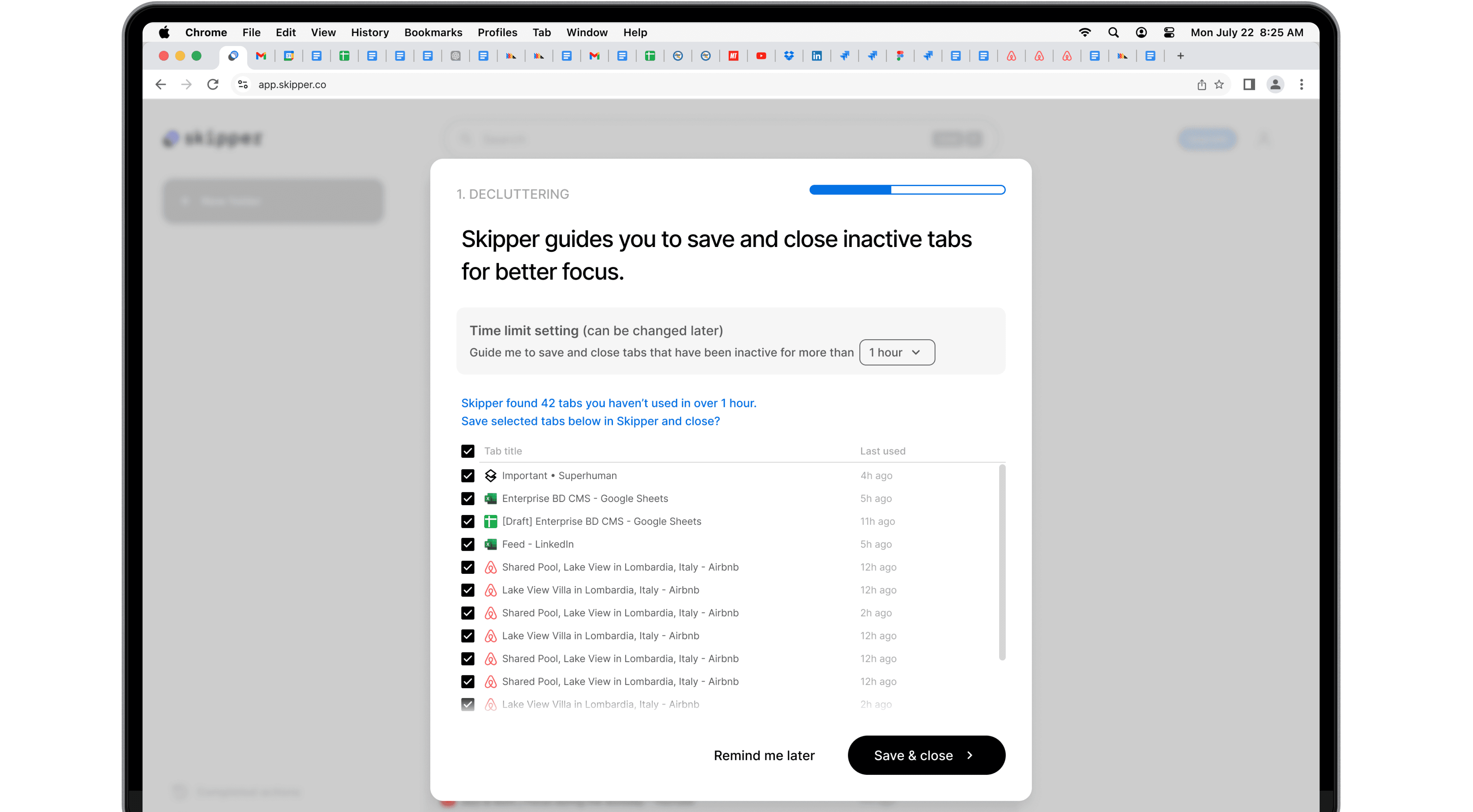
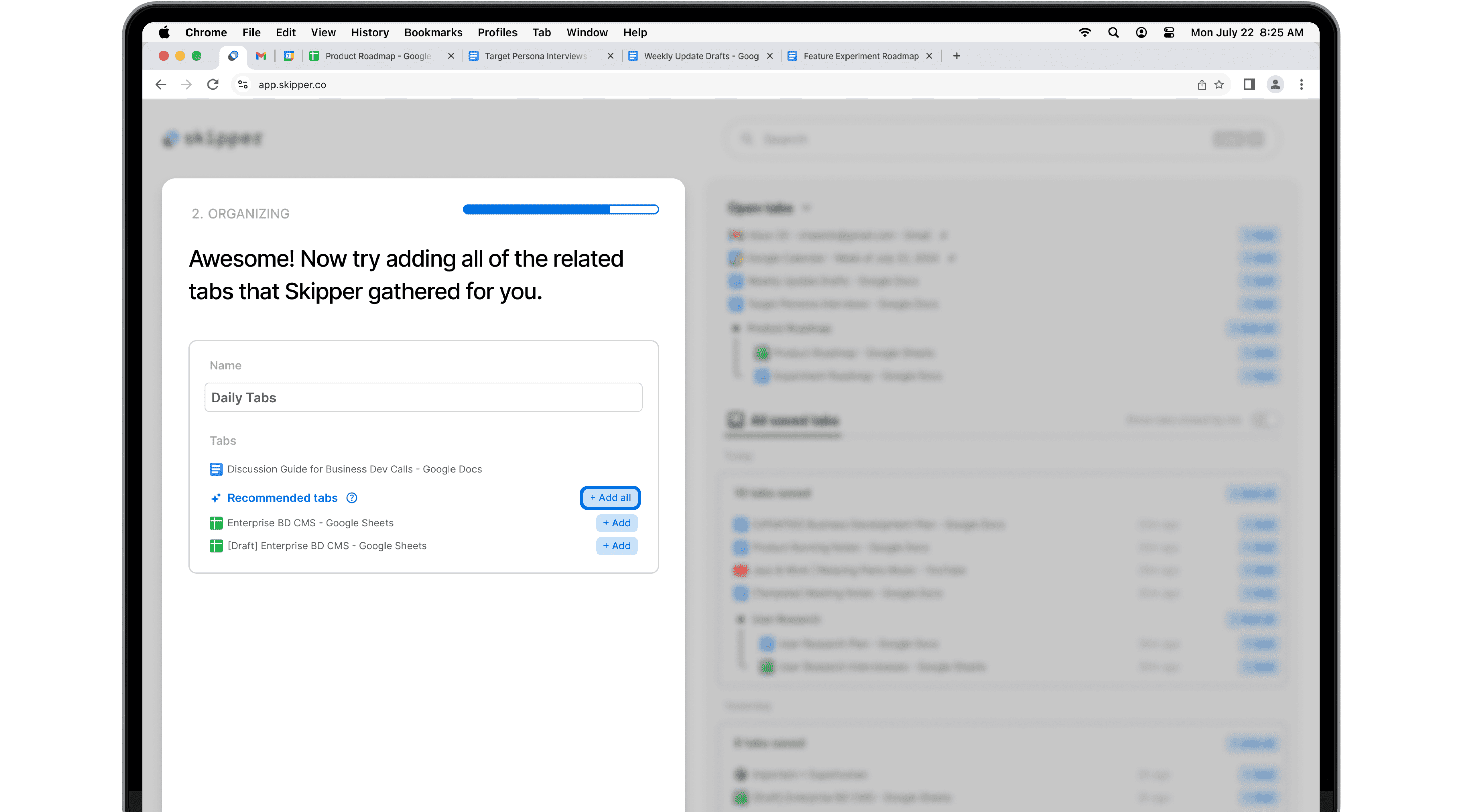
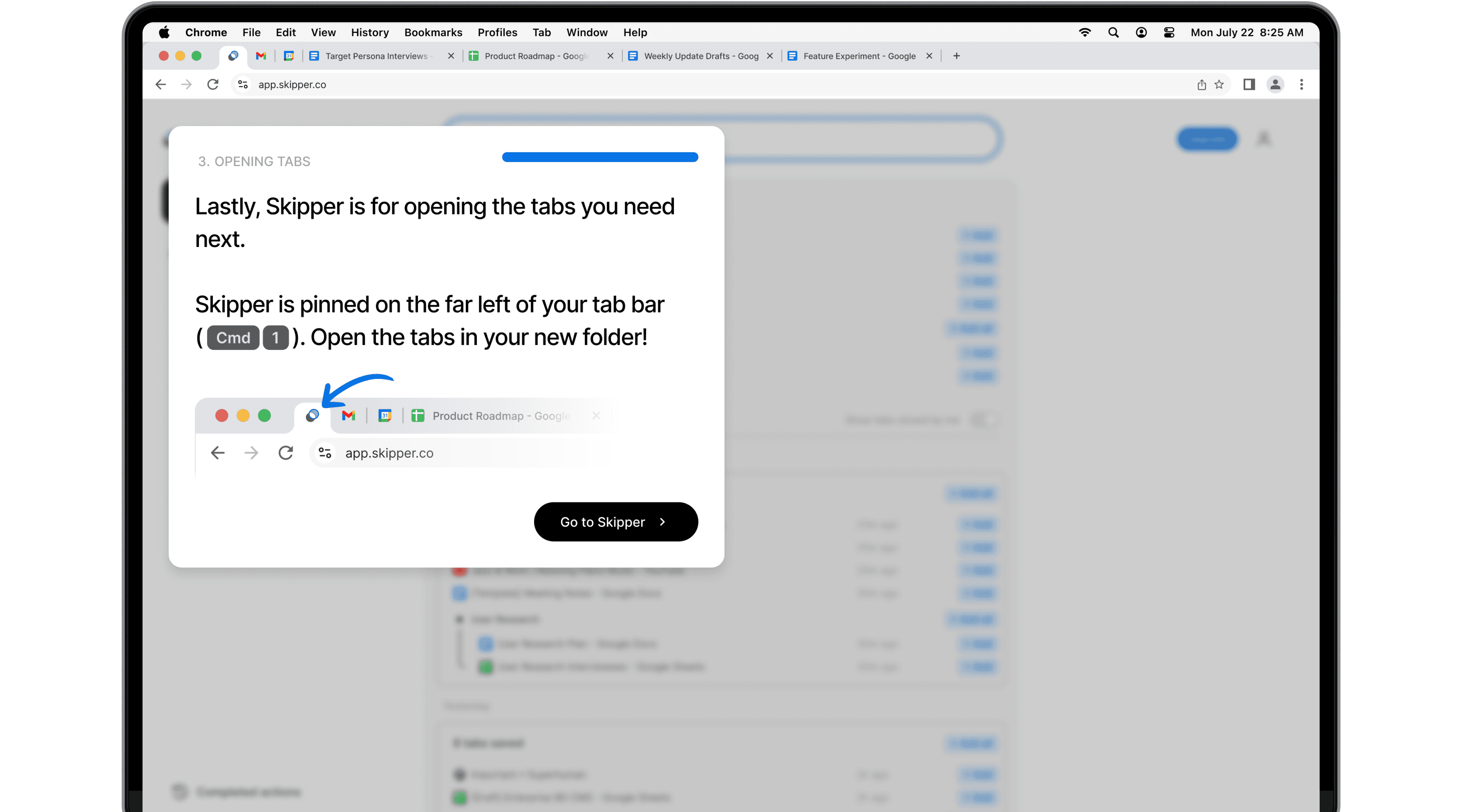
More focused first "Save" experience
New experience eases users into Auto Save by teaching the minimal configuration & allowing them to choose which tab to keep open.

Impact
From Passive to Active: 3x Growth
A/B test hinted a positive trend in onboarding completion & W1 engagement
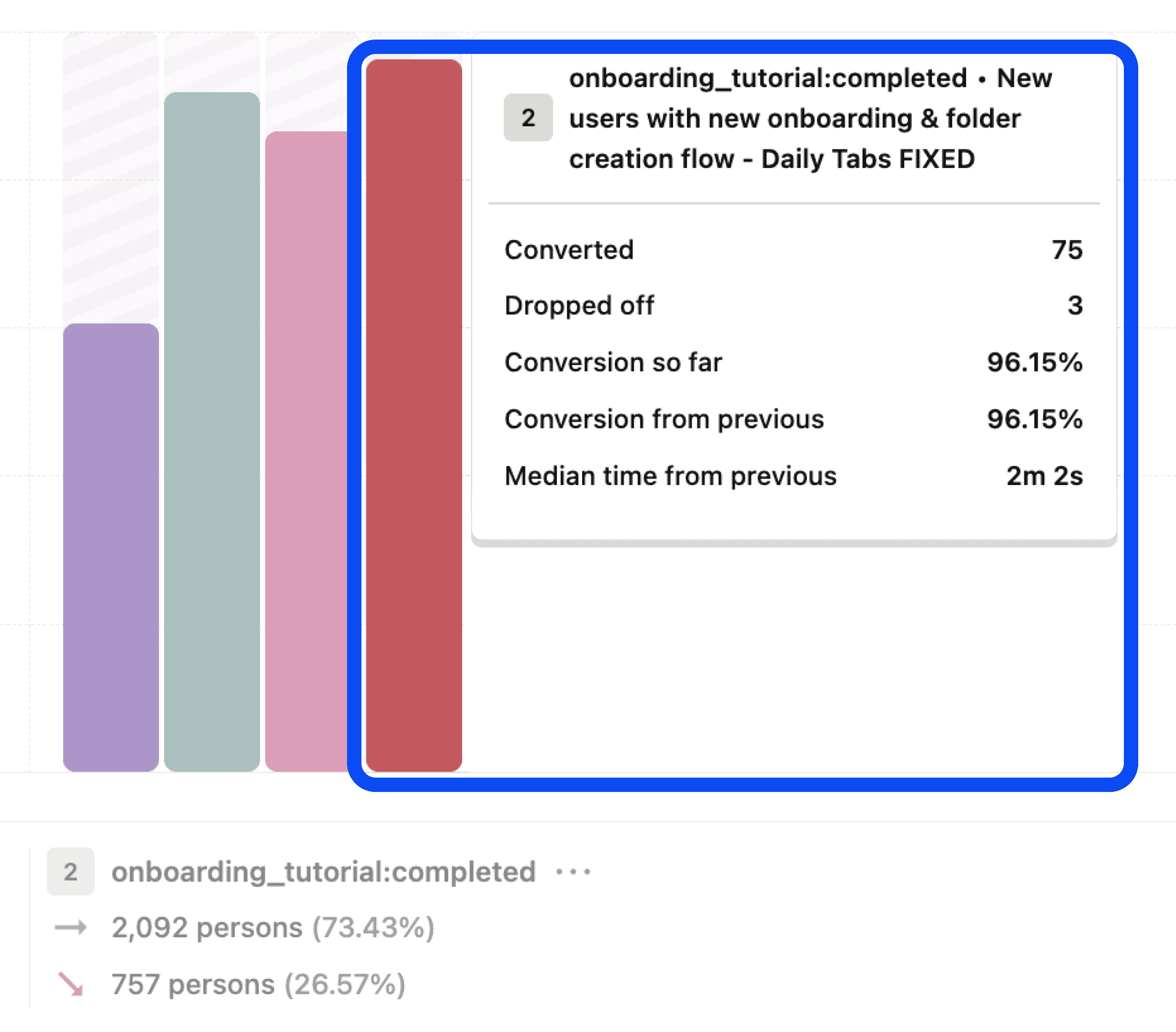
The PostHog product analytics page for this experiment 3 weeks into the A/B test. The purple bar (far left) indicates the previous onboarding completion rate of 63%.
63% → 96%
Onboarding completion rate
Following our full launch, we observed a substantial increase in active engagement
16% → 49%
Week 1 active engagement*
*Folder engagement, tab open from Skipper, etc.
11% → 29%
Week 4 active engagement
Lastly, the AI-assistance was added to all folder organization flows.

Research
Teamwork to find leverage in qual & quant research
To uncover this problem…
Automatic Tab Save retention
→ 50% at week 8
Active engagement rate
(Tab Organization & Reopen)
→ 6% at week 8
I teamed up with ENG & Product to look for…
Opportunities in churned and inactive user interviews
Key behaviors to leverage from user data
Learnings from Interviews
Most churned users never experienced Skipper's value in organization or quick tab reopen. They either never created a folder or only created folders for tabs they rarely needed to revisit.
Learnings from Data Analysis
Users who've opened a tab from folders, even just once, showed extremely strong long-term engagement rate (50% after 5 months) and were 3x more likely to upgrade to a paid plan.
Hypothesis

Design & (in)validation
5 days, 3 working prototypes and
12 user tests
I ran a 5-day in-person design sprint where we…
Ideated and created prototypes

Conducted 12 user tests using 3 working prototypes

Invalidated 2 other concepts including a chat UI