Shipped
Web App
Consumer AI
Zero to One
0 to Sticky: Starting & Scaling an AI Workspace for Knowledge Workers
Skipper is an AI-powered productivity web app that organizes your browser tabs for you.
Designed for knowledge workers, rooted in CMU research & backed by Menlo Ventures.
Overview

Problem
Knowledge workers lose almost 3 hours a day due to distractions caused by having too many browser tabs open.

Solution
An AI-powered self-organizing workspace that safely puts away, organizes, and helps quickly reopen stale tabs.

Impact
5,000
Weekly active users in 10 months
Average 50%
Week 8 retention in newest cohorts
3.2%
Paid conversion*
*Top quartile of AI products is at 3.9% while median is 1.8%
Role
Head of Design (sole designer)
Co-founder
Responsibilities
Design Strategy
UX/UI & Interaction Design
User Research
Prototyping & Testing
Establishing & Scaling Design System
Facilitating Collaboration
Fundraising
Team
2 engineers + 1 PM
Timeline
10 months
Problem
Tabs consume our most precious resource: Time.
Did you know?
An average knowledge worker visits 160+ URLs per day across 70 tabs. This accumulates to 200+ context switches and 3+ hours wasted each day.
User Problem
Business Problem

Solution
A self-organizing workspace for your browser tabs.

1
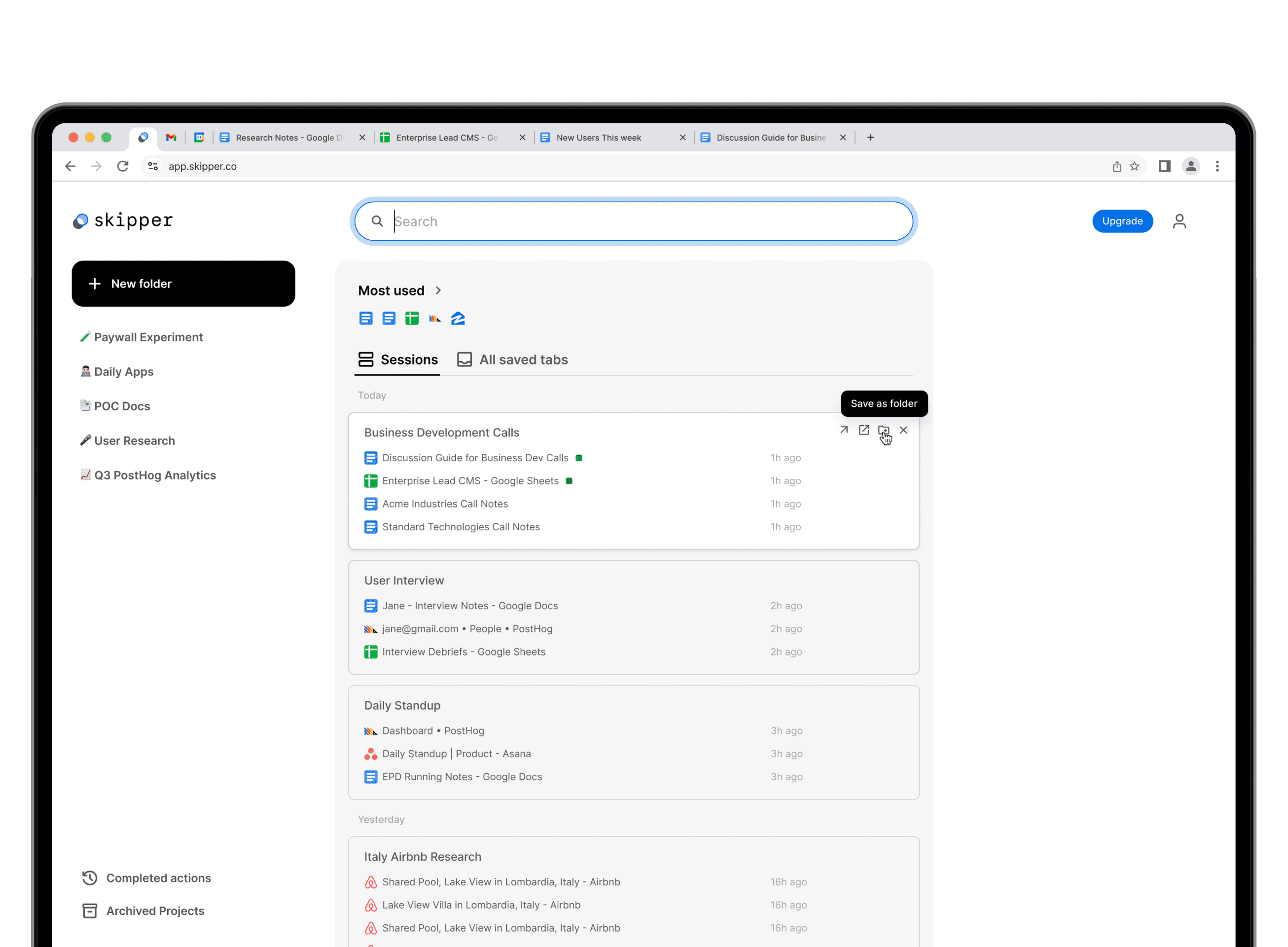
Auto-Save
Automatically declutters browser by closing and saving stale tabs.
2
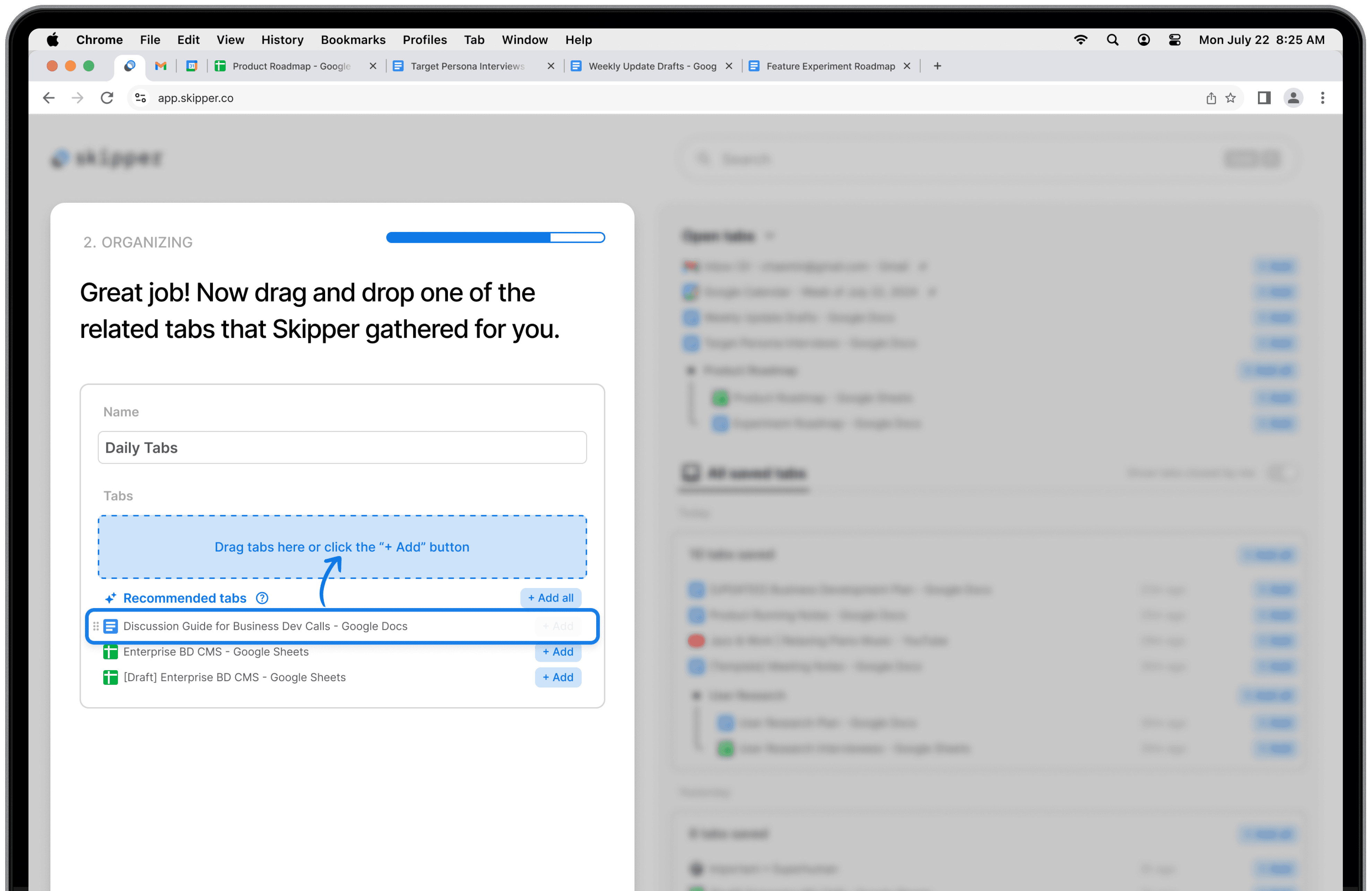
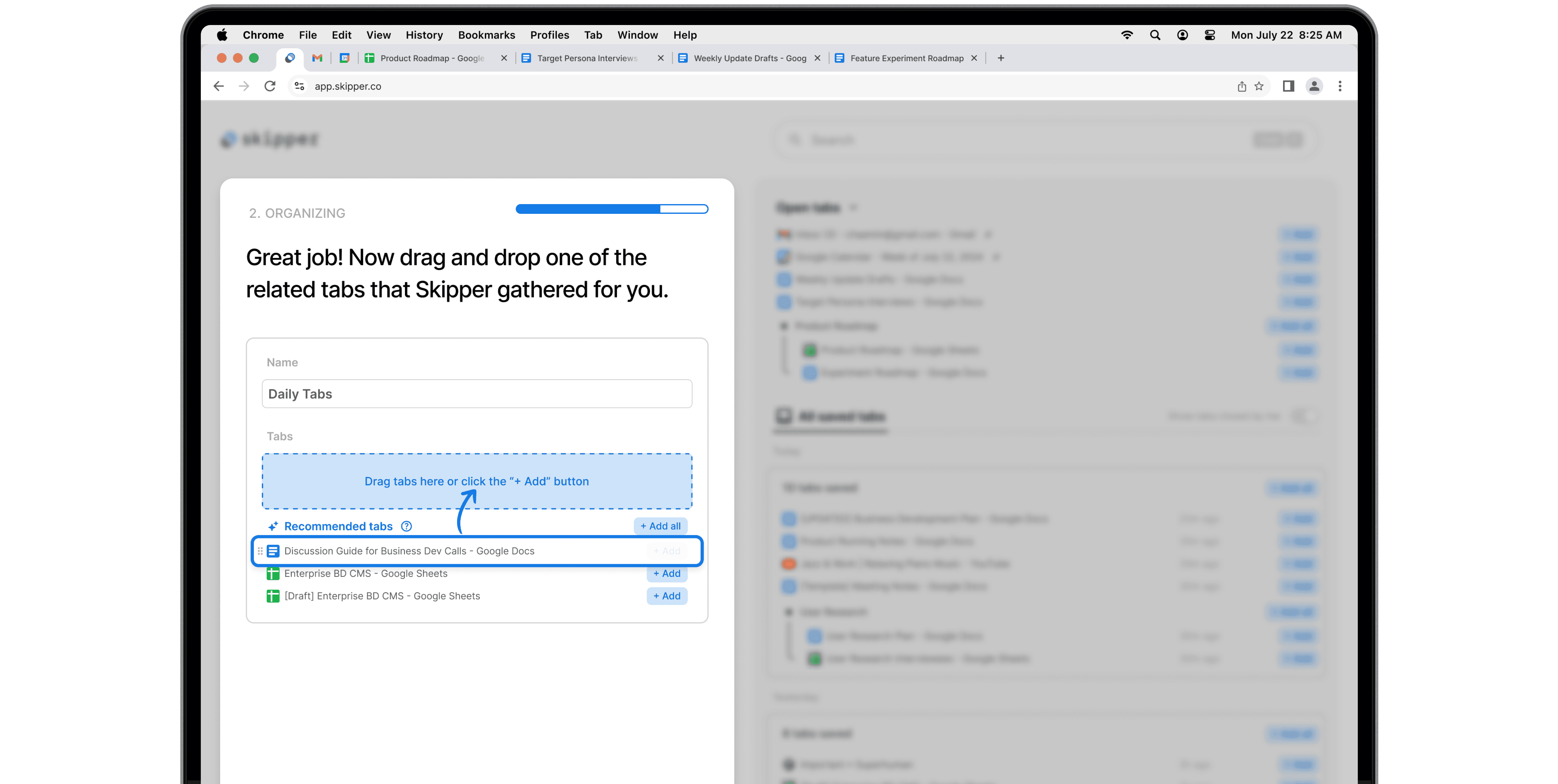
AI Organization
Organizes tabs into AI-powered "Sessions" for easy access or further organization.
3
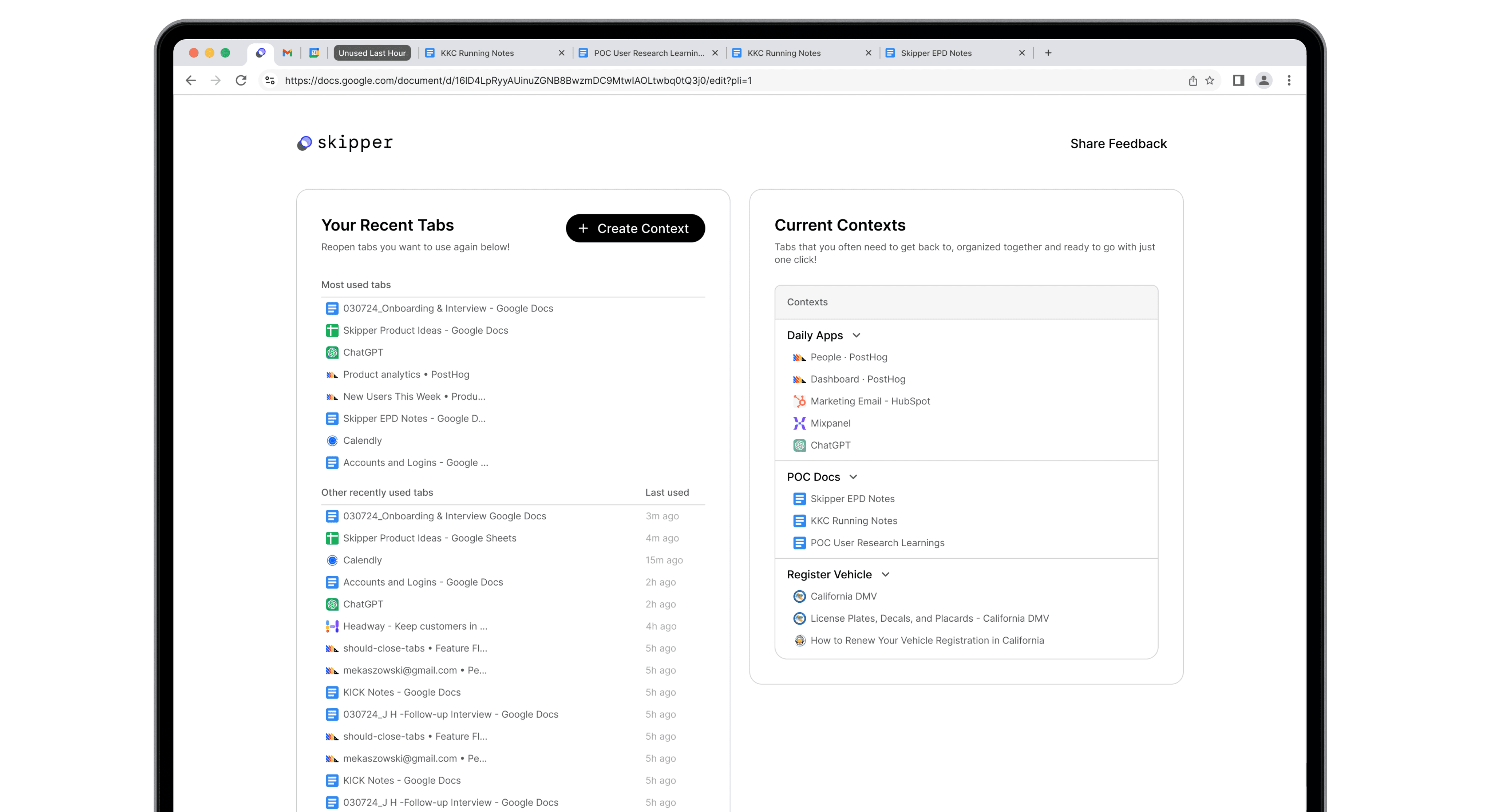
Effortless Switching
Helps reopen related tabs together quickly.

Iterations
Some of the many, many iterations





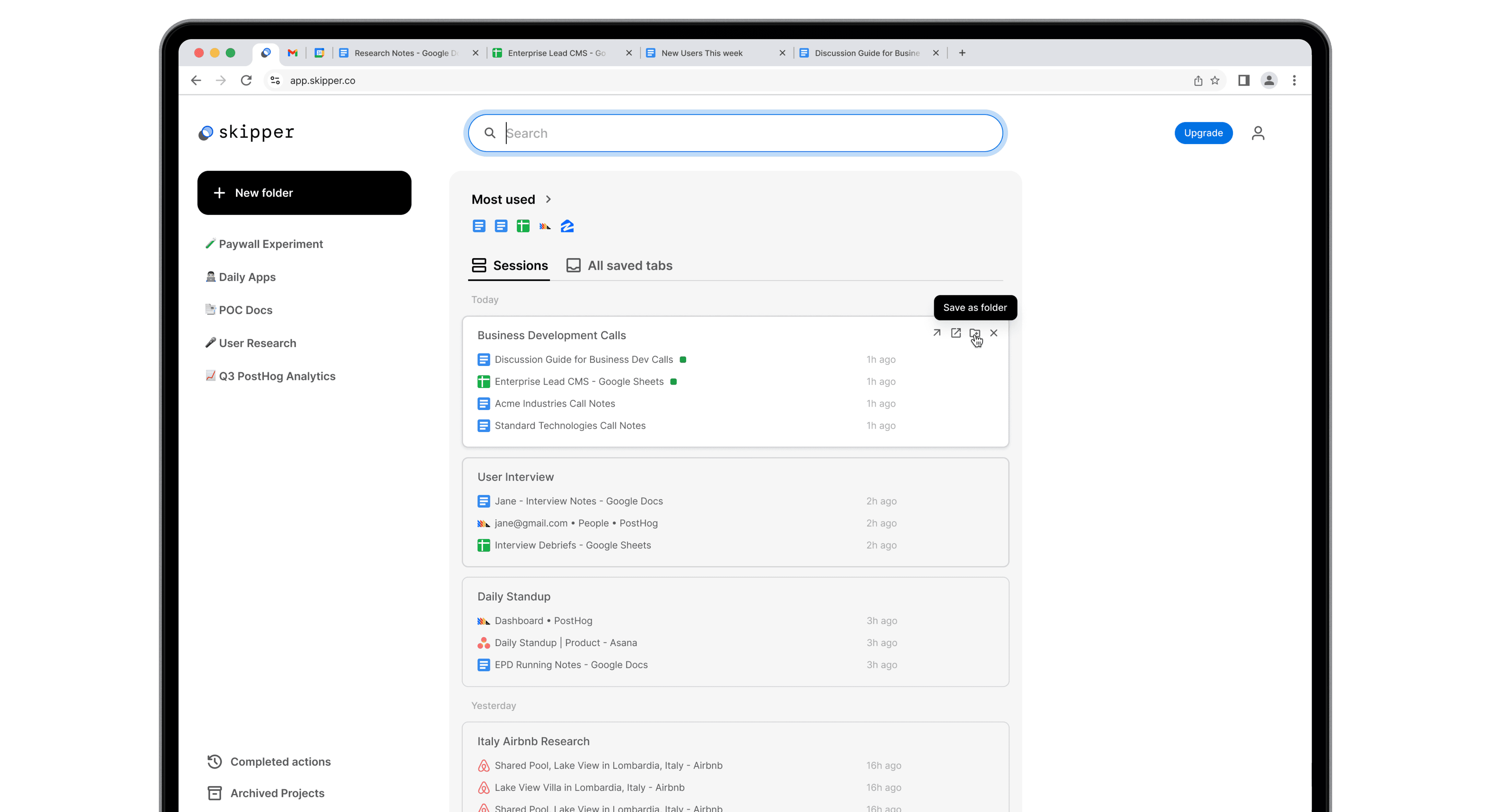



Persona
Iterative approach to find our target
Research & iteration led to the target persona, 'Self-aware Sam', aka the distracted high achiever.

Busy professional, mostly manager level
Juggles multiple projects & meetings daily
Likely has or suspects ADHD/ADD
Great at hyper-focus but prone to diving into the wrong rabbit hole
Sam's Job to be Done
When I want to focus, I want unrelated tabs saved in a way that makes me feel confident that I’ll be able to quickly find & remember later.

System
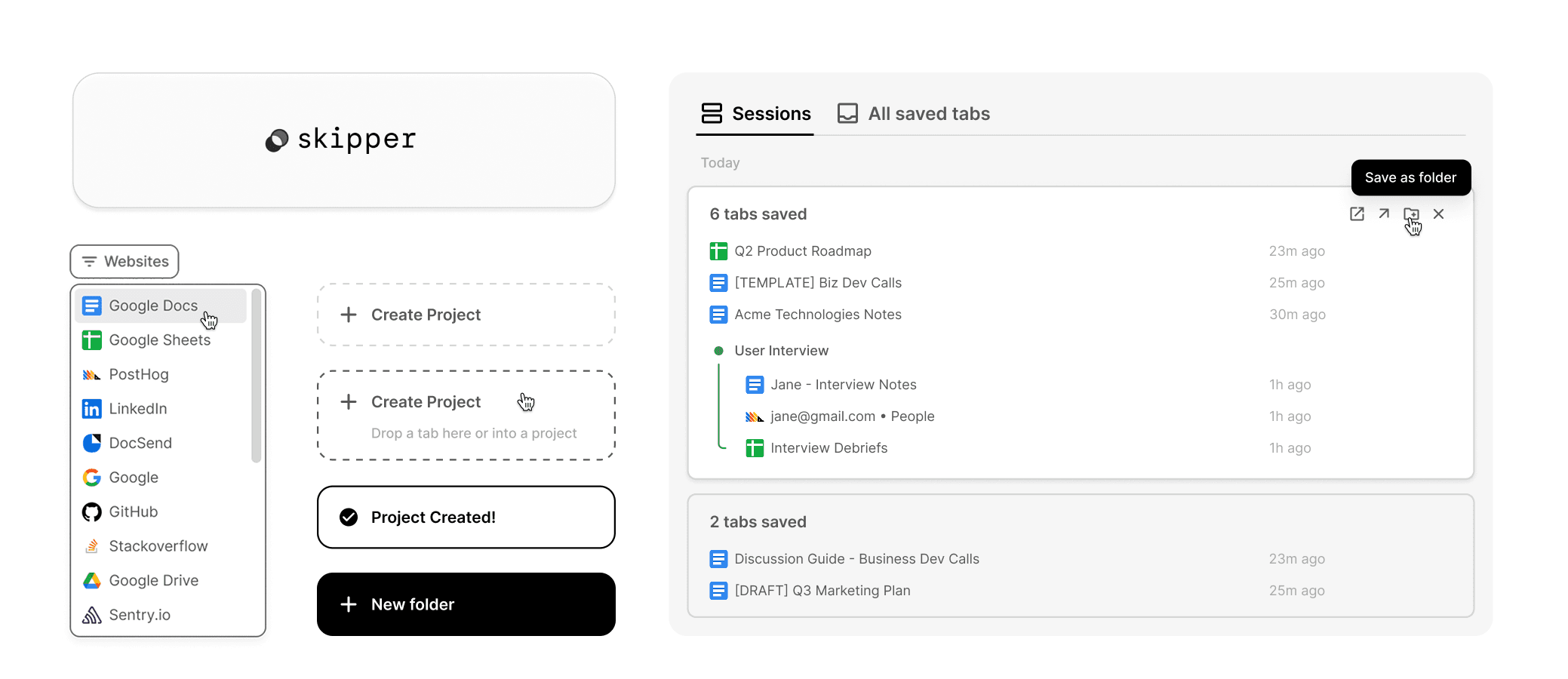
Establishing the principles & system
Design Principles
1
Amplify clarity through purposeful reduction
2
Minimize effort, maximize control
3
Build trust through transparency & adaptation
The design system embodies clarity & efficiency, allowing users to focus on their tasks without getting in the way.
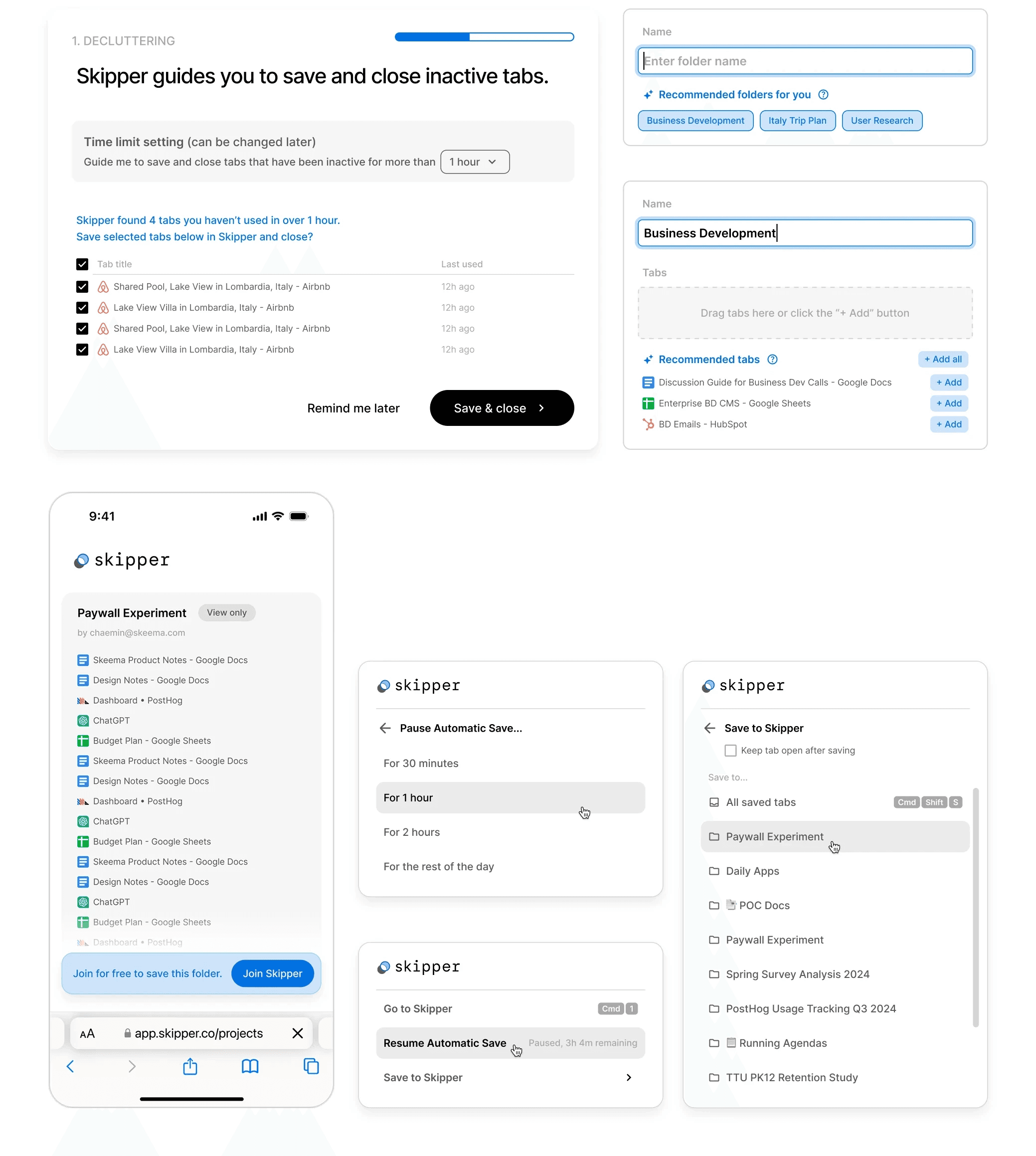
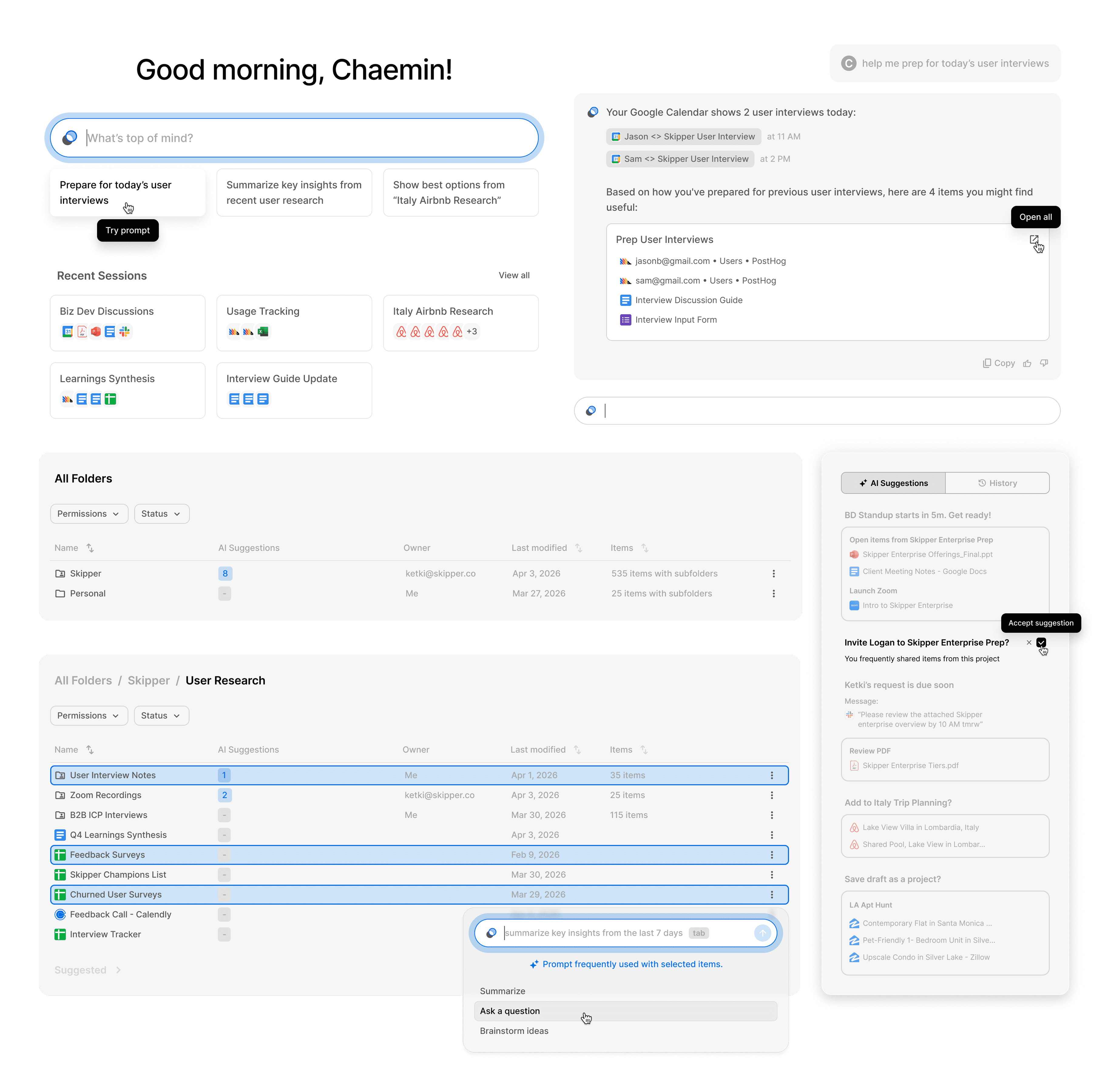
Scaling the UI patterns for further AI adoption
While further expanding & testing our AI offerings, I kept evolving the UI patterns to ensure seamless scalability.

Strategy
Hypothesis-driven rapid (in)validation
1
Align & Prioritize
I led user understanding by synthesizing and sharing qual research findings weekly, helping the team collectively align on highest priority goals based on riskiest assumptions and roadmap.
2
Analyze Problem & Hypothesize
I partnered with Engineering to find leverage in quant data, and led design sprints to collectively ideate solutions based on quant & qual findings.
3
Prototype, Test & Iterate Fast
I led validating new & iterative designs in 107 user interviews where we'd put working prototypes in front of users within 5 days on average.

Impact
420,000 tabs closed every week.
Everyday, Skipper closes 12 tabs per user.
That's 60,000 tabs per day.
420,000 tabs per week.
5,000
Weekly active users in 10 months
Avg. 50%
Week 8 retention in newest cohorts as of Jan 2025
3.2%
Paid conversion*
*Top quartile of AI products is at 3.9% while median is 1.8%
$900,000